Voice notes
Hold to record, let go to send. For when typing in any script feels slow.
Made in India · 22 Indian languages
Talk to your people, in your language. Chats, calls and local businesses, together in one app.
How a message travels
Type or speak the way you always do. No settings to change mid-chat.
Slang, Hinglish and all. Only text needing translation is sent to our translation service. That service does not store the text.
And her reply comes back to you in Hindi. Tap Show original any time.
Try it
Amma sent this in Telugu. Choose a language to see the same message translated.
Sample translations. This preview does not send text to a server.
All 22 Indian languages and English, including Hindi and other languages typed in English letters.
जन्मदिन मुबारक! आज रात खाने पर घर आना।
A closer look
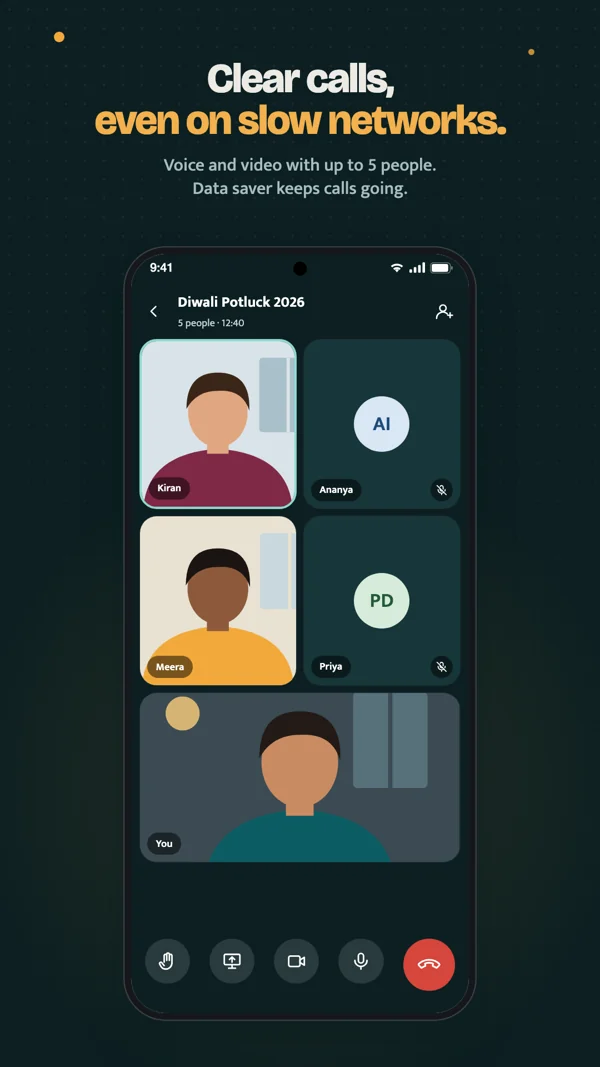
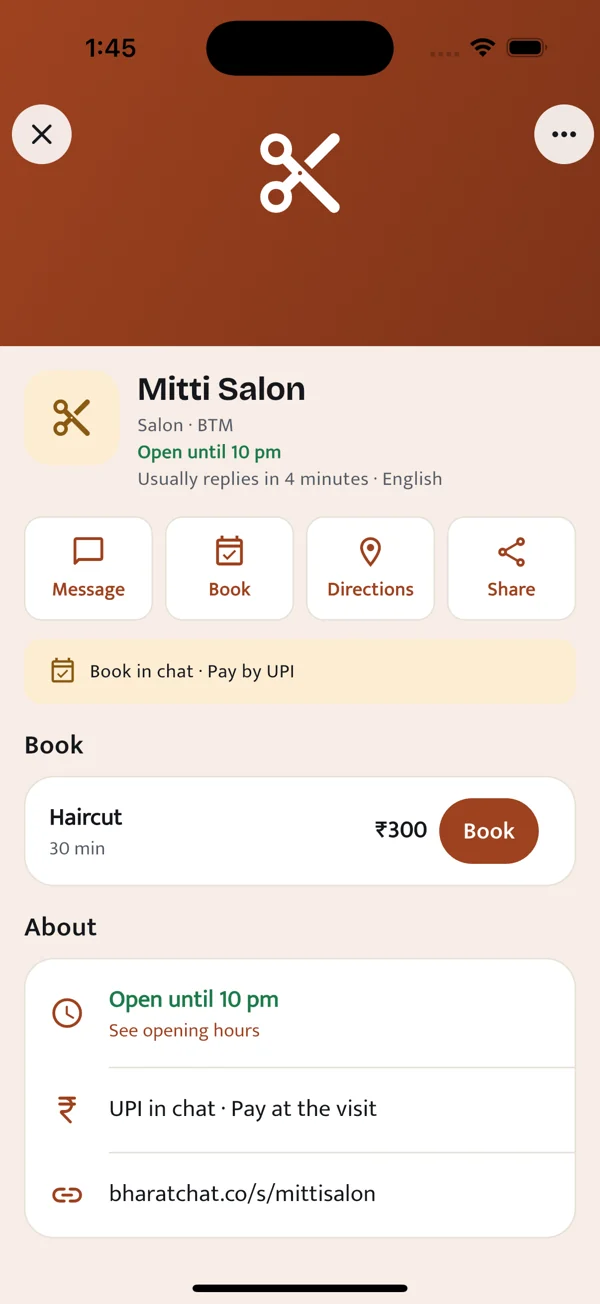
Choose a preview to explore chats, calls and your local businesses.
Explore BharatChat for Business →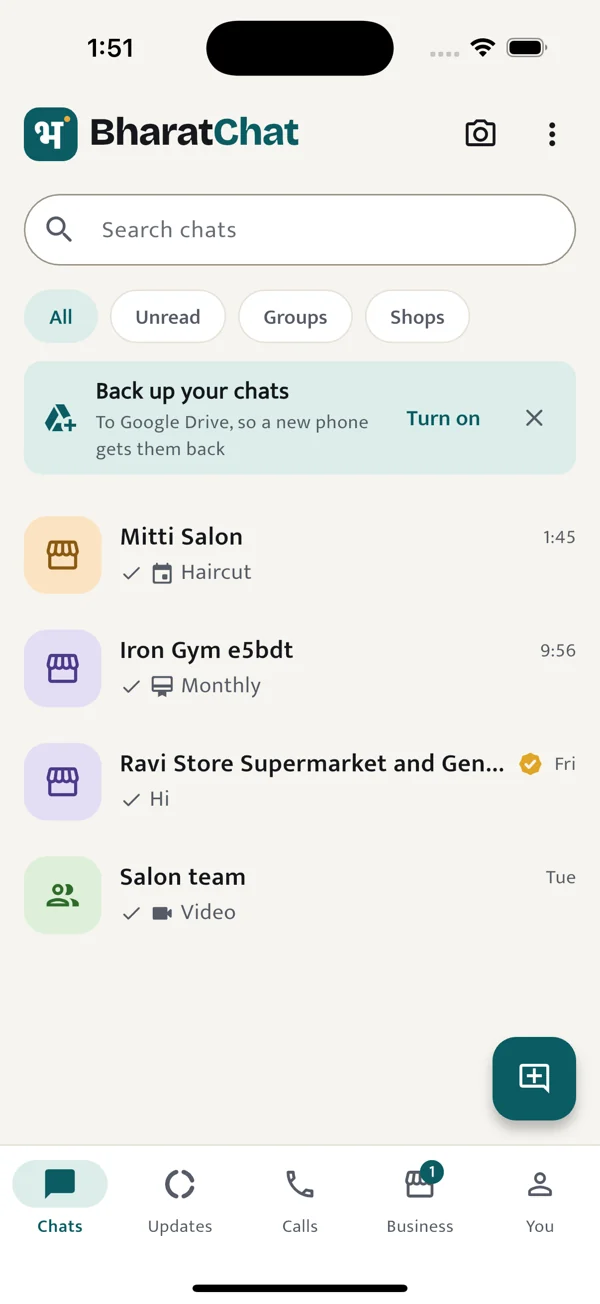
Everything a chat needs
Hold to record, let go to send. For when typing in any script feels slow.
Share from your camera or gallery. Faces of family, not file names.
Swipe a message to reply to it. Press and hold to react.
A dark theme that keeps text readable, not just darker.
Know who wrote and what they said, without opening the app.
Your chats open from the phone first, then sync. Useful on a patchy 4G signal.
BharatChat for Business
Show what you offer, take bookings and send bills from a separate business identity. Keep your personal profile private.
Products, customer chats and UPI bills.
GymsMemberships, class bookings and check-ins.
SalonsServices, available slots and customer bookings.
Privacy
Personal chats between two people are end-to-end encrypted on current app versions. When you need a translation, your phone sends that message’s decrypted text to our translation service in India. We don’t store the text there. Group and business chats are not end-to-end encrypted yet.
Yes. Download it from Google Play or the App Store. You need a phone number to create an account.
BharatChat supports all 22 scheduled Indian languages and English, including messages typed in English letters. Offline translation is available for supported, downloaded language packs.
Personal chats between two people are end-to-end encrypted on current app versions. Group and business chats are not end-to-end encrypted yet. If a message needs translation, its decrypted text is sent to our translation service in India and is not stored there.
Read the translation detailsYes. Open BharatChat Web, then use You → Linked devices in the phone app to scan the QR code. Create your account on your phone first.
Open BharatChat WebPay the shop using its UPI QR in your own UPI app. Mark the bill as paid and share the transaction reference. The shop checks the payment and confirms receipt. BharatChat does not automatically verify bank payments.
Available on Android and iPhone. Create your account with your phone number.
On a computer? Log in on the web and scan the QR code from the app (You → Linked devices).